
We have been active microstock contributors since 2008, managing a combined portfolio of approximately 50,000 photos and more than a thousand videos. Over our careers, the single biggest bottleneck in our production cycle was the Getty Images and iStock ESP upload system. We spent hundreds of hours manually disambiguating keywords to meet their precise metadata requirements.
We built the disambiguation tool in Photokeyworder.ai directly out of this frustration. We designed the tool to solve our own upload bottlenecks and heavily field-tested it on our commercial portfolios. Since launching the service to the public, our platform has successfully disambiguated over 1,250,000 photos and videos for microstock authors. Assuming an average of 1 minute of manual disambiguation per file, this translates to over 20,000 hours of tedious work eliminated for our users, or about 2,500 8-hours work days.
What is the Controlled Vocabulary?
Unlike other microstock agencies that accept standard comma-separated keywords, Getty relies on a strict internal dictionary known as the Controlled Vocabulary. This system is designed to eliminate ambiguity in search results.
When you submit a keyword to Getty or iStock, the system requires you to define exactly what that word means. If you upload the keyword “Apple,” ESP needs to know if you are referring to the fruit or the technology company. If you submit “Crane,” it needs to know if it is the bird or the construction equipment.
If your uploaded keywords do not perfectly match Getty’s dictionary, ESP flags them as unrecognized. You are then forced to manually review and map each unrecognized keyword to the correct dictionary definition via a dropdown menu or using softwares like DeepMeta or qHero. For large batches of files, this manual disambiguation process consumes massive amounts of time.
Here is an example on what happens when you upload a normally tagged image to DeepMeta (or directly to iStock ESP):
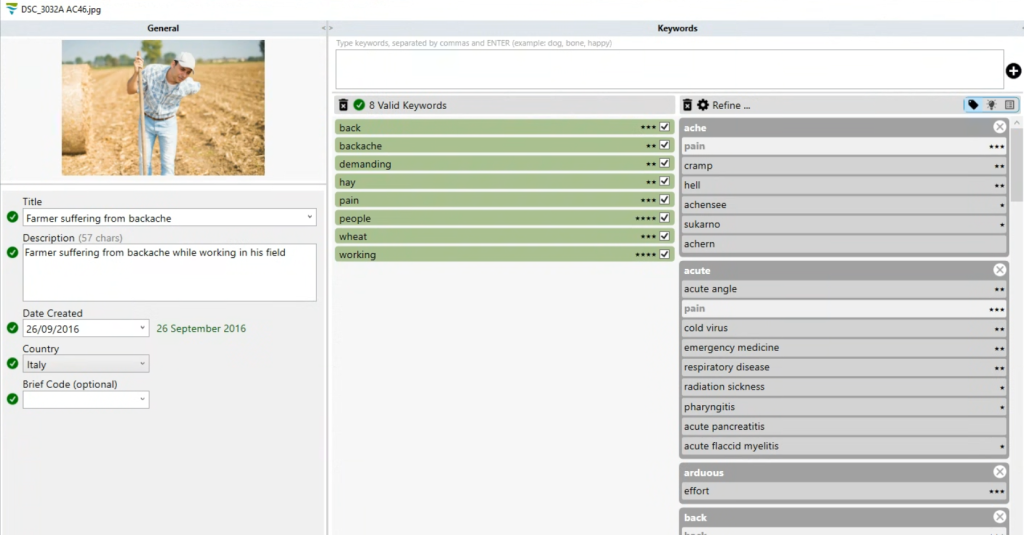
As you can see, very few keywords were automatically disambiguated, only 8 out of 50.
Automating the Disambiguation Process
The specialized iStock / Getty Images workflow inside Photokeyworder.ai eliminates this manual work. The AI analyzes the visual and textual context of your upload, selects relevant keywords, and automatically maps them to the exact formatting required by Getty’s internal dictionary. We also monitor output to ensure the AI adapts to the continuous updates Getty makes to its vocabulary over time.
The output integrates directly into your standard upload pipelines, whether you use the ESP web interface, DeepMeta, or qHero.
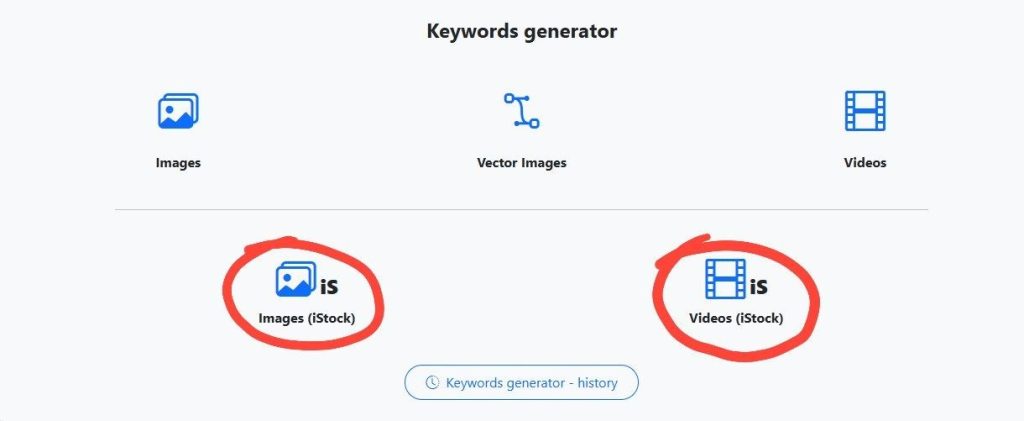
Here is how the automated workflow handles different media types based on Getty’s specific technical requirements:
Photos and Images (JPG)
When you upload standard images, the system embeds the disambiguated metadata (Title, Description, and Dictionary-matched Keywords) directly into the JPG file. It also generates an iStock-specific CSV file. This gives you the flexibility to upload via embedded metadata extraction in DeepMeta or qHero, or via batch CSV import in ESP.
Videos
Standard metadata cannot be reliably embedded into video files for agency indexing. The Getty workflow for video relies strictly on spreadsheet generation. Our AI analyzes the video to grasp the exact context, disambiguates the appropriate keywords, and outputs a ready-to-upload iStock CSV file.
A Note for Vector Contributors (EPS)
The specialized Getty workflow does not support EPS files directly. Getty dictates that contributors must upload the vector EPS file alongside a metadata-tagged JPG preview. If you are uploading vectors to iStock, you must use the standard “Image” workflow on Photokeyworder.ai to tag your JPG preview files. You then upload those tagged JPGs alongside your EPS files through ESP or DeepMeta.
Example
Here’s an example of the same image tagged using our iStock tool:
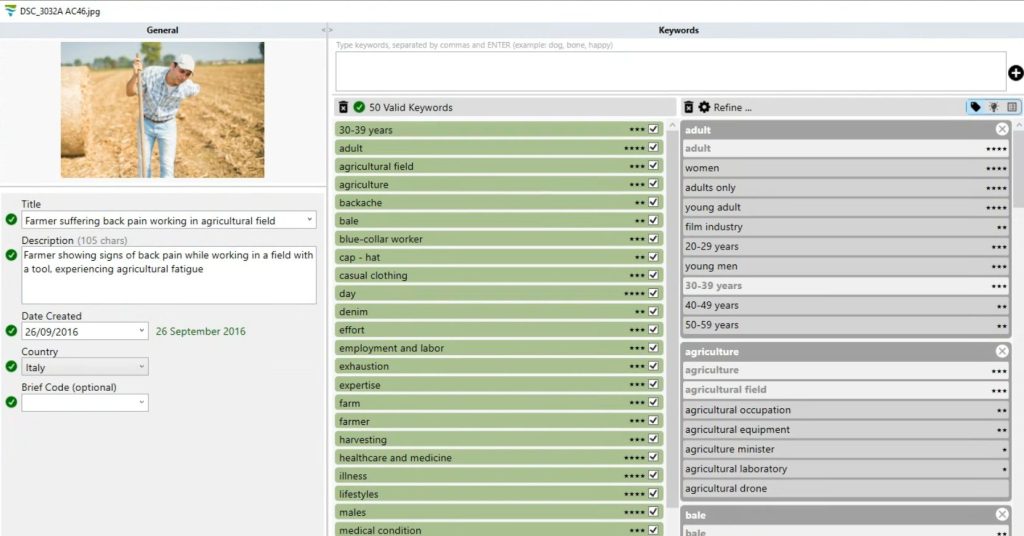
As you can see, it disambiguated 50 keywords!
Conclusion
Handling Getty’s metadata requirements is a tedious process, but it can be fully automated. New users receive 20 free credits upon creating an account to test the Controlled Vocabulary matching on their own files.
About the Authors:
The founders of Photokeyworder.ai are veteran microstock contributors active as Minerva Studio since 2008. With a portfolio of over 50,000 images and thousands of video clips spanning Adobe Stock, Shutterstock, and Getty Images, they develop AI tools designed to solve the real-world technical bottlenecks faced by high-volume stock creators. This is their portfolio on Shutterstock: https://www.shutterstock.com/g/minervastudio